If your touchless faucet suddenly stops responding, don’t panic — most of the time it’s a simple fix. Here’s what I always check first, in order:
1.Start with the power supply.
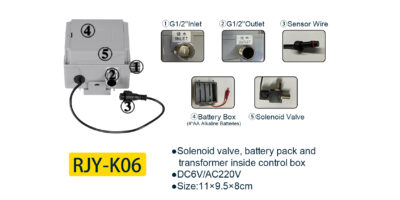
Replace batteries: Open the battery compartment (usually installed under the sink) and swap in a new set of alkaline batteries.
Check AC adapter: If your model runs on an AC adapter instead, double-check that the plug is firmly seated and the outlet is actually live.
Reset the power: A quick power reset helps too: just unplug the cord or pull the batteries out for a couple of minutes, then reconnect everything. This clears out any minor electronic hiccups.
2.Give the sensor a wipe-down.
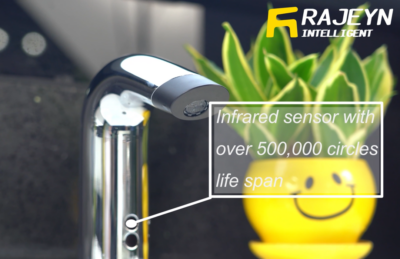
The little infrared sensor window near the spout is surprisingly easy to block. Soap scum, hard water spots, or even a thin film of dust can make the sensor “blind.” I keep a soft cloth dampened with white vinegar or rubbing alcohol on hand for this — a gentle wipe followed by a dry towel usually does the trick.
3.Make sure water is actually reaching the faucet.
If there’s a manual handle on the side, confirm it’s turned on. Then check the hot and cold supply valves under the sink — they should be fully open. If the flow seems weak, unscrew the aerator at the tip of the spout and rinse out any trapped debris or mineral buildup.
4.Look around for anything that might confuse the sensor.
Shiny surfaces are sneaky culprits. Mirrors, bright LED lights, or even a reflective soap dish sitting too close to the sink can trick the infrared sensor into misreading signals. Try moving them away and see if the faucet responds better.
If none of the above methods work, please tell me what kind of faucet you have, and whether the indicator light flashes or doesn’t respond at all when you wave your hand. Recording a video would be very helpful for analysis. With a video, I can help you check the solenoid valve more thoroughly.